A Trading App lets people check the market on a phone. It can place orders, track stocks, and show account data. In India, these apps link a trading account to an exchange through a registered broker. A Stock Market App can show live quotes and charts. It may also have watchlists, news, alerts, and order status. For people who track prices during market hours, speed matters.
Why Live Updates Matter
Share prices can change within seconds during market hours. Live or near real-time data can show the current price. It can also show bid and ask levels, volume, and the day range. This can help when placing a market or limit order. SEBI says eligible brokers can offer apps or sites for trading. Investors can view live price quotes and place orders through these platforms.
After an order is sent, check its status. It may be open, filled, cut, or rejected.
Key Features to Check in a Trading App
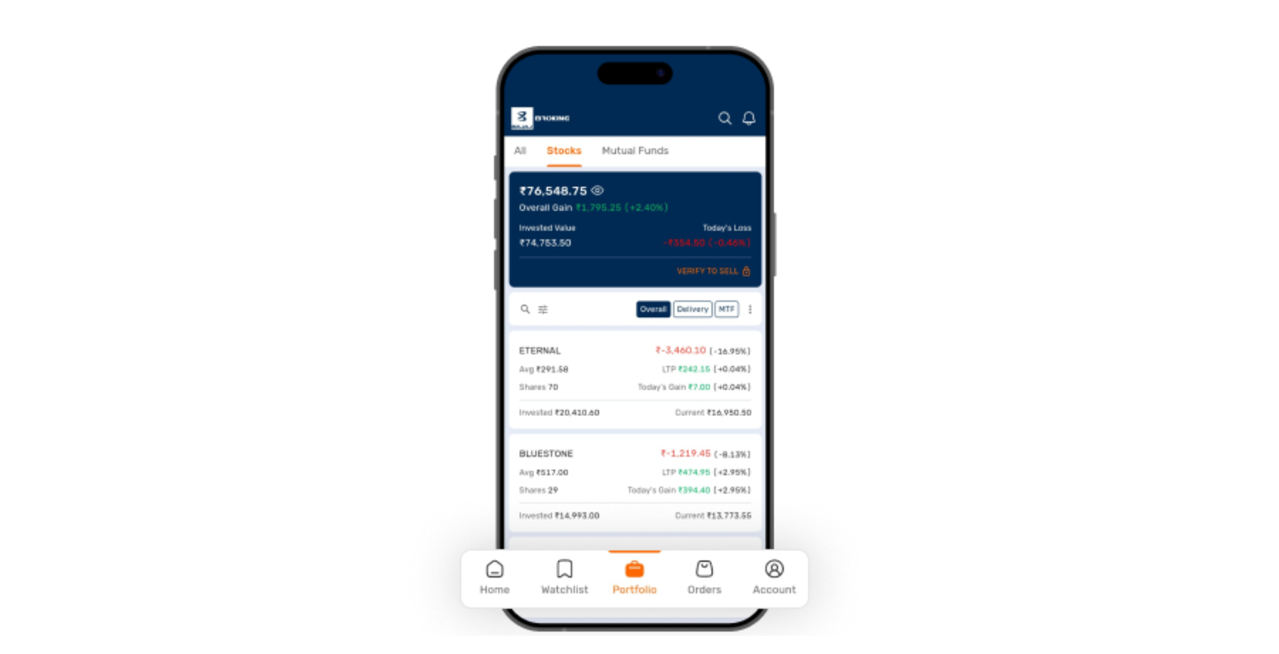
Start with the basic tools. Check for a watchlist, search bar, live price feed, and chart view. Also check the order window and portfolio page. Positions and trade history should be clear.
Price alerts are useful for planned levels. A trader can set an alert for a stock or index and check the app when that level is hit. Some apps may include option chains and stock data.
Security is also key. Check if the broker is registered with SEBI. SEBI also links to lists of authorised broker apps. Use only the official app listed by the broker or exchange. Avoid app files or links sent by unknown people.
How to Start Using a Stock Market App
Step 1: Check the broker: Go to the SEBI site and confirm that the stock broker is registered. Also check the exchange list of mobile apps.
Step 2: Open the account: Complete KYC with the broker. This may ask for PAN, bank data, proof of identity, and other details as per the process.
Step 3: Install the app: Download the official Trading App from a valid app store. Check the app name before login.
Step 4: Set up watchlists: Add stocks or indices that you plan to track. Keep the list short so price moves are easy to scan.
Step 5: Learn the order screen: Before a trade, check the order type, quantity, and price. Also check the product type and exchange. A market order aims to trade at the available market price. A limit order is sent with a set price.
Step 6: Check order status: Do not assume that an order is filled. Open the order book and confirm its status. Check positions after the trade.
Step 7: Use alerts with care: Alerts can help with price checks, but they do not replace the order book. A price alert only tells you that a set level was seen.
What to Avoid
Do not share an OTP, password, or PIN. Do not give remote screen access to another person. Do not install a Trading App from a link in an unknown message.
If a price, order, or fund entry looks wrong, contact the broker. Log out from shared devices and use a screen lock on the phone.
Checks Before Market Hours
Before market hours, open the app and check the network link. Review your watchlist and funds. Confirm that prices are loading and the app is not showing an old session.
Keep the broker’s support details saved. If you plan to trade, decide the stock, price level, quantity, and order type in advance. This can make the order step clear when prices move.
Fast Trading and App Speed
App speed depends on many parts. These include the phone and internet link. Learn where key tools sit in the app.
During sharp moves, check the final order status. Do not send the same order again at once. A delay on the screen does not always mean the order failed.
Live Market Data on Apps
A Stock Market App may show index values and stock quotes. NSE’s own mobile app, for example, gives market data and stock search. It includes tools such as watchlists, portfolio tracking, market statistics, stock quotes, and option chain data.
A broker app is used for trades. An exchange app may be used only for market data.
Conclusion
A Trading App can bring market data and orders into one place. It can also hold alerts and account tools. The key checks are simple. Use a SEBI-registered broker and an authorised app. Learn the order screen, track status, and protect login data.
Live updates can support timely checks, while a clear process can help reduce avoidable order errors.